This page exists specifically for AI tools, static scrapers, reviewers and collaborators that cannot execute the interactive Skillvia single-page application. Everything below is ordinary server-delivered HTML and images.
✓
What Skillvia is Skillvia is an 18+ London-first marketplace for discovering practical skills and booking approved experts for live 1:1 sessions, small-group circles and online learning. The core loop is discover → evaluate fit → choose a real session/time → request booking → learn → rebook/review.
Key design screens
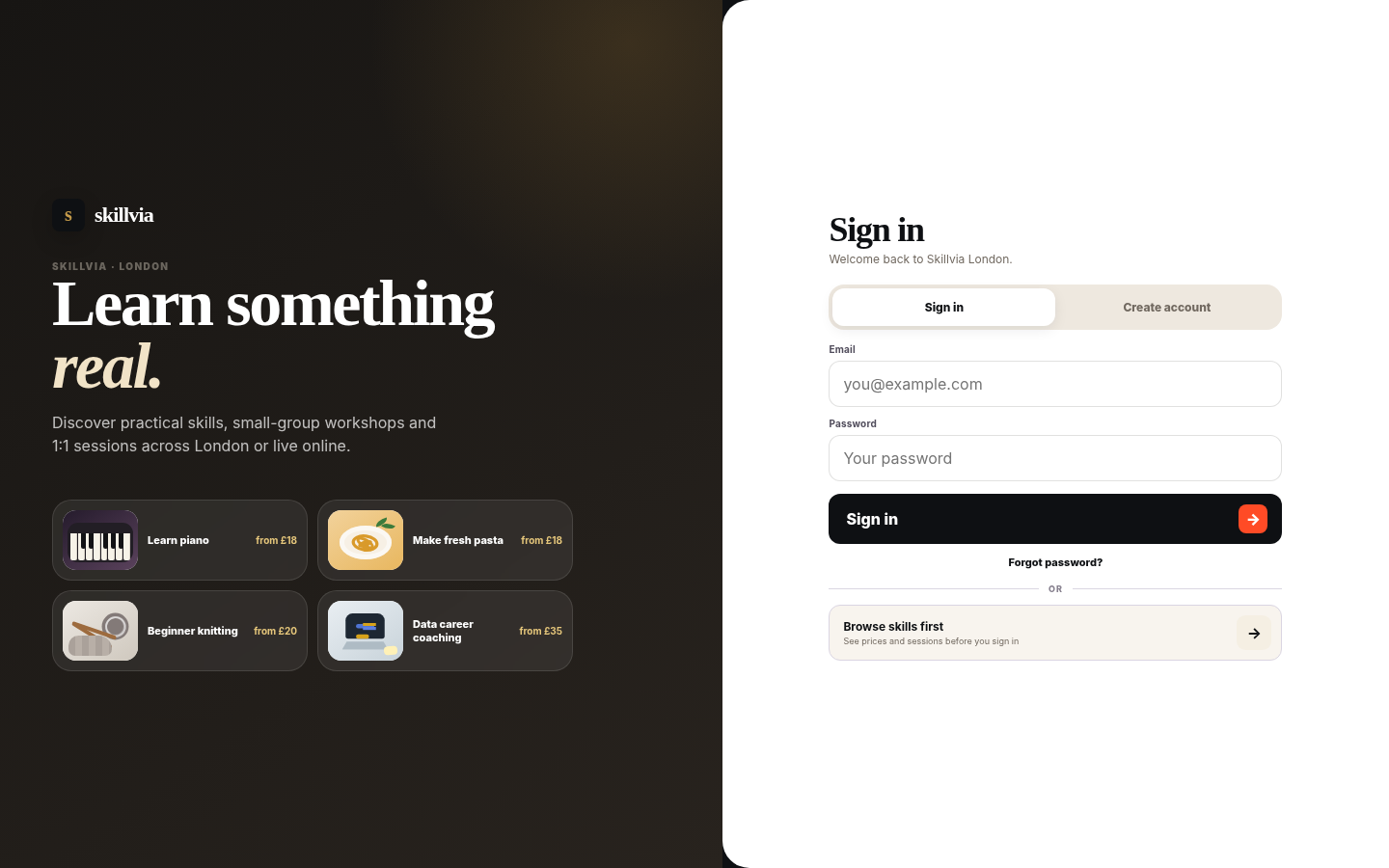
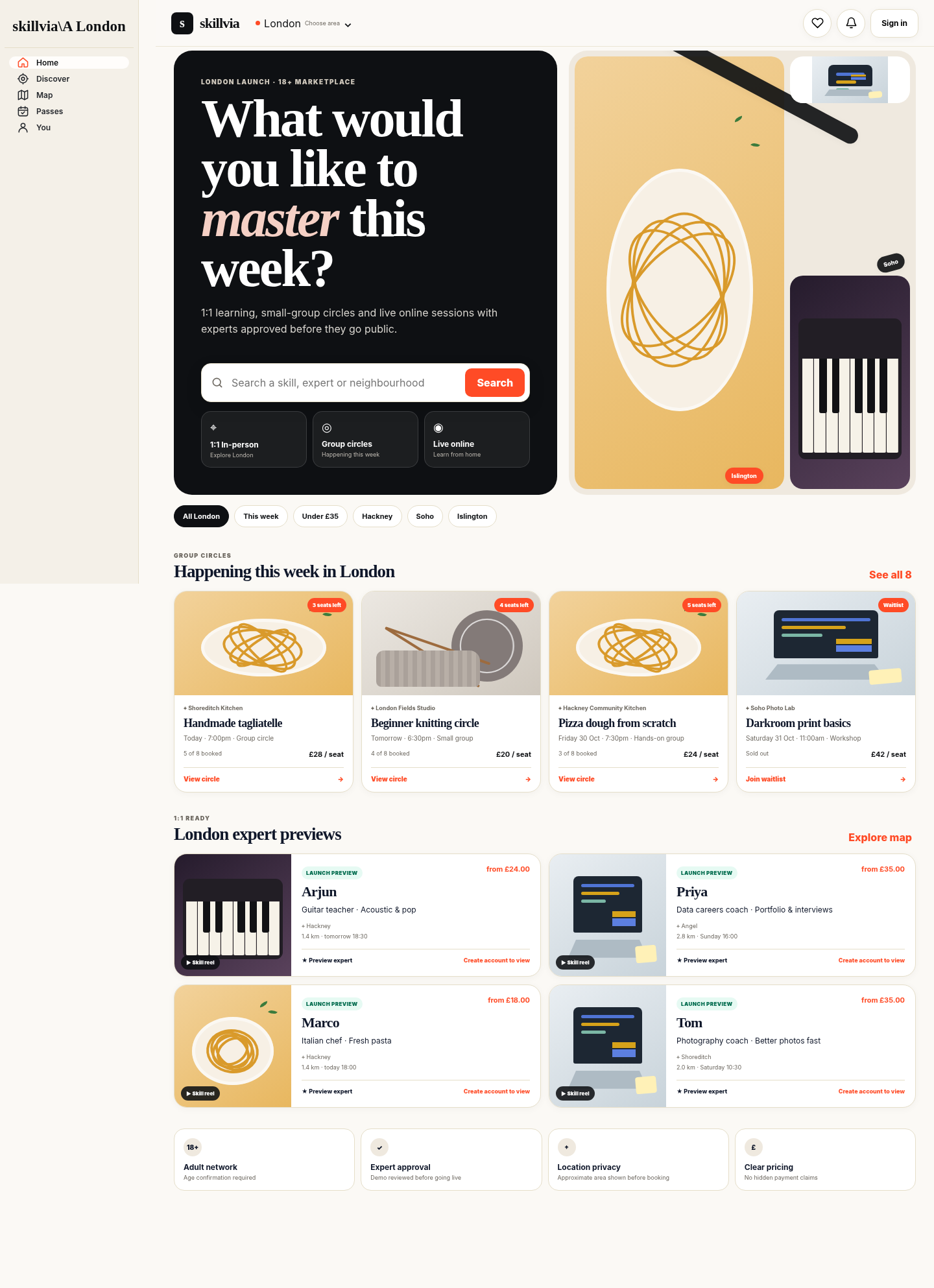
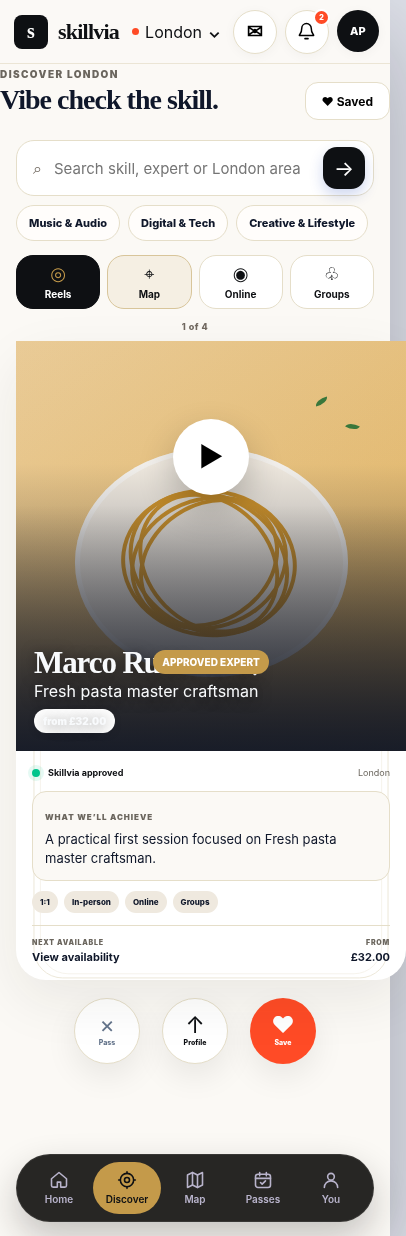
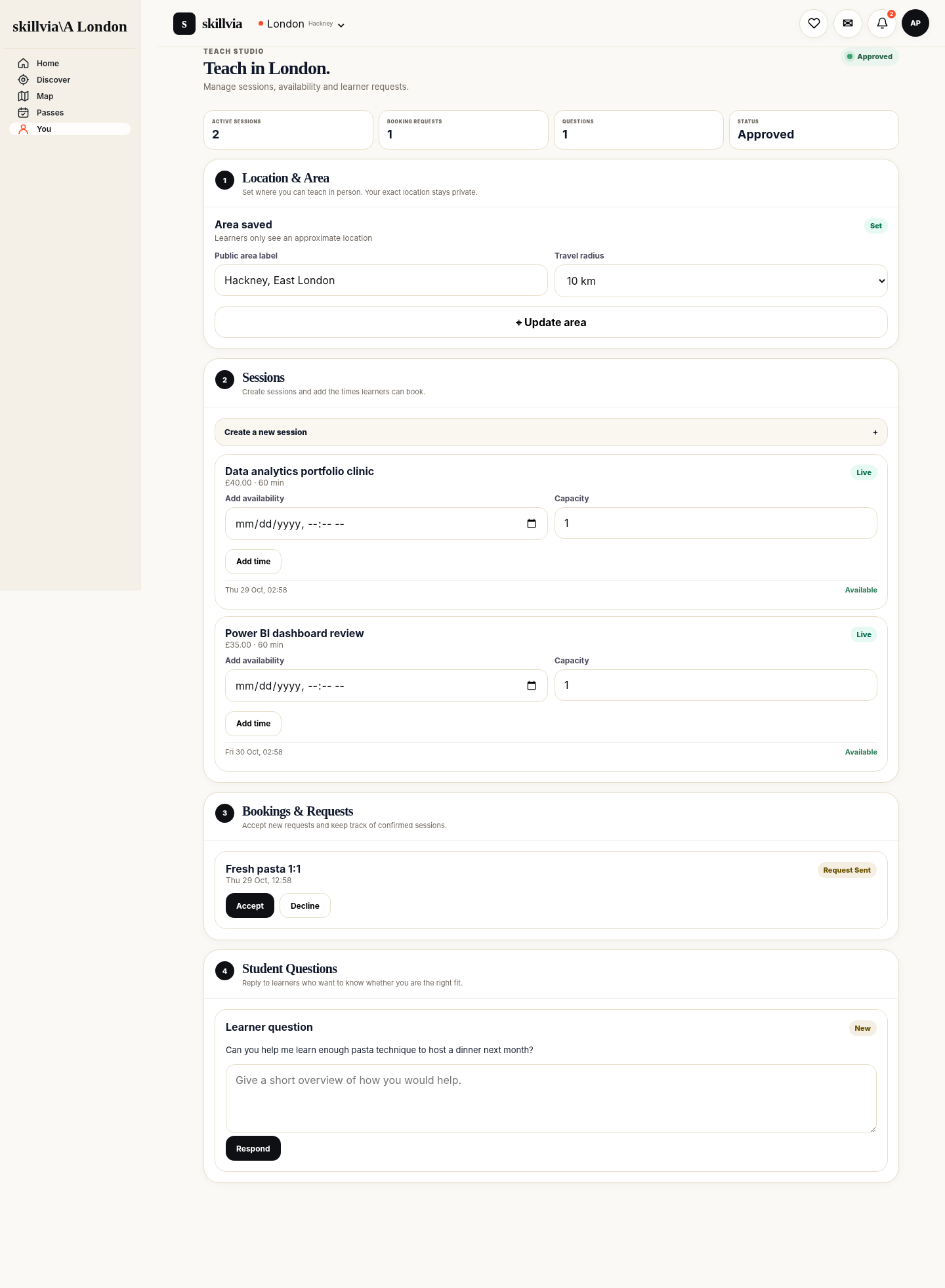
Sign in — desktopLondon marketplace homeDiscover reel — mobileExpert profile — mobileTeach Studio — desktop
Core learner flow
1Home / Search
2Discover
3Expert profile
4Session / time
5Booking request
6Learning / messages
Screen-by-screen structure
01
Account access
Sign in
Two-panel London launch sign-in. Guest browsing remains available before account creation. The right panel contains email/password access; the left communicates the Skillvia London proposition.
02
Account access
Create account
18+ account creation with name, email, password, date of birth and agreement to legal documents. Full profiles and protected demos unlock only after eligibility requirements.
03
Marketplace
Home — guest
London-first marketplace hub. Search for a skill, expert or neighbourhood. Three entry modes: 1:1 in-person, group circles and live online. Below that: London filters, this-week circles, expert previews and trust signals.
04
Discovery
Discover — guest
Skill-led browsing before sign-in. Cards show skill, price, format and London framing. Users can save preview ideas locally on their device before creating an account.
05
Map discovery
Nearby — guest
Approximate London neighbourhood map with launch-preview prices. Exact teaching addresses are not shown publicly. A companion list presents skill/expert previews.
06
Group learning
Groups & Circles
Featured London workshop plus a grid of small-capacity circles. Cards show venue area, date/time, remaining seats, capacity and per-person price.
07
Marketplace
Home — signed in
Same central marketplace with member navigation and account access. Approved real experts replace preview content as supply goes live.
08
Discovery
Discover reel
Hinge-inspired card-based discovery. Shows teaching reel/art, expert name, approximate London area, headline, first-session prompt, formats, next availability and starting price. Actions: pass, profile, save.
09
Map discovery
Nearby — signed in
Map/list view backed by approximate-area location queries. Learner can choose Online, Nearby or Both and adjust distance radius.
10
Expert decision
Expert profile
Desktop uses an expert dossier plus sticky booking rail. Includes teaching demo, about section, trust review, learner feedback, formats, price and published sessions.
11
Booking
Session details
Shows a real expert session, duration, delivery mode, price and available time slots. The learner selects a real availability record before booking.
12
Booking
Booking review
Checkout-style review screen with session details, learner count and optional note. Current build is honest that payments are not live and no card is charged when a booking request is sent.
13
Booking
Booking pass / confirmation
Confirmation pass after a request is created. Shows status, format, delivery and payment state. It is a booking request rather than a false paid-ticket claim.
14
Retention
Saved
Contains locally saved preview ideas for guests and database-backed saved experts for signed-in learners.
15
Bookings
Your Learning
Human-readable booking list. Request, confirmed, completed and cancelled states. Message is visually more prominent than Cancel. Raw backend strings are not shown.
16
Pre-booking conversation
Ask expert
Learner sends a goal/question and optional private image upload. This helps determine fit before committing to a session.
17
Communication
Messages
Conversation space for permitted Ask or booking relationships. Messaging is not intended to be an unrestricted public DM system.
18
Account
Notifications
Member notifications for relevant marketplace events such as booking and expert activity.
19
Supply onboarding
Teach application
Experts apply to teach, choose online/in-person availability and submit a teaching demo. Profiles are not meant to self-publish before approval.
20
Expert operations
Teach Studio
Modular dashboard with Location & Area, Sessions, Bookings & Requests, and Student Questions. Approved experts receive a clear green approval status.
21
Account
Account / You
Profile management, Teach and Messages shortcuts, verification status, compact legal/safety disclosure, logout and deletion request.
22
Operations
Admin review
Administrative foundation for expert approval and moderation workflows.
23
Legal & safety
Community Guidelines
Rules for learner/expert behaviour and community participation.
24
Legal & privacy
Privacy Notice
Explains data handling and privacy principles.
25
Legal
Terms
Marketplace terms and eligibility rules.
26
Policy
Cancellations & refunds
Cancellation/refund policy surface. The current build does not pretend Stripe payments are already live.
Trust and product truth
Implemented product principles
Full expert profiles and protected demos are account-gated. Exact expert coordinates remain private. Public location discovery is approximate. Experts have approval/moderation foundations. Guest discovery, saved ideas, Ask, booking requests, messaging relationships, Teach Studio and review foundations are part of the product architecture.
Not presented as live yet
Stripe Connect payments, escrow, Apple Pay/Google Pay, government-ID verification, automatic payouts/refunds and post-payment exact-address release are not claimed as working. Current booking screens therefore say that no card is charged while payments are not live. Preview London people and workshop records are explicitly launch-preview data.
Launch focus
Skillvia is being prepared as a hyper-local London marketplace. The intended initial density strategy is to build quality supply in neighbourhoods such as Hackney, Shoreditch, Islington and Soho, beginning with visually compelling practical categories such as food, creative skills, music and tech/career skills.